
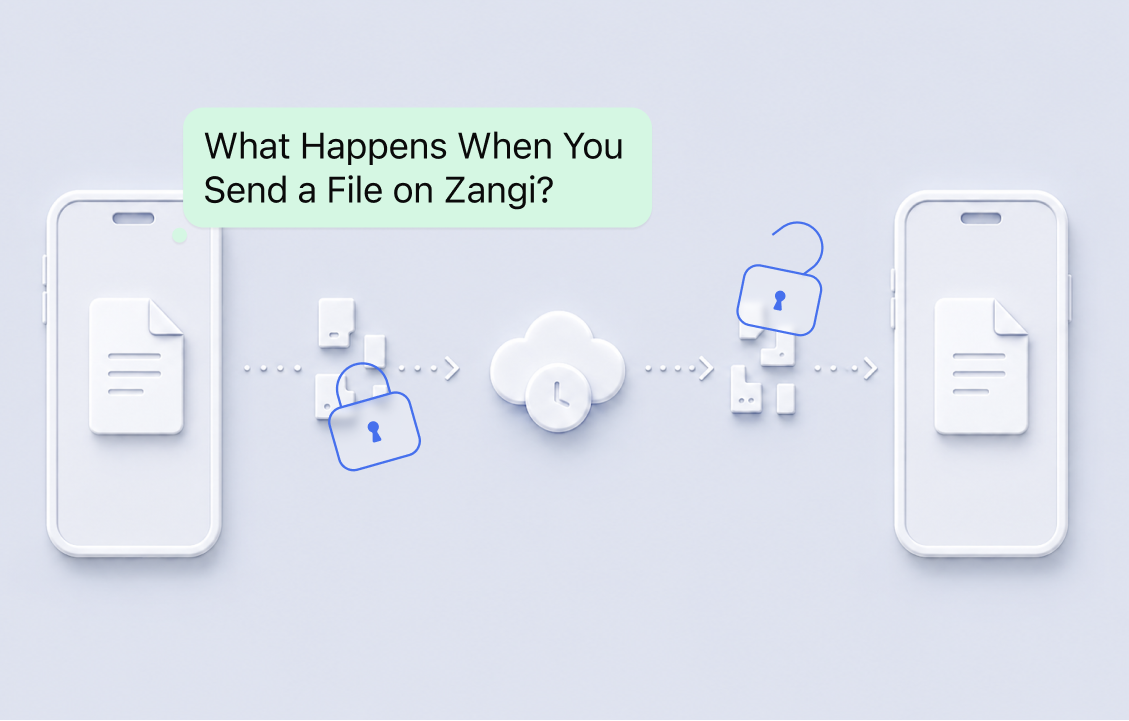
Sending a file should not mean giving control of it to the company responsible for delivering it. Yet that is how many messaging apps work. The complete file is uploaded to a central server, processed or stored there, and then downloaded by the receiver. This creates a central point of weakness where files can be accessed, exposed, or targeted.
Zangi uses a different approach. The file is protected directly on the sender's device, divided into parts, encrypted, and transferred as unreadable encrypted fragments that only the recipient's device can decrypt and reassemble for viewing. Zangi never receives a readable copy of the file, and once delivery is complete, nothing remains in the temporary repository.
Encryption That Protects the File, Not Just the Connection
Regular file-transfer services commonly use Transport Layer Security (TLS). TLS encrypts the connection between a user’s device and the provider’s server. This helps prevent outsiders from reading the file while it travels across the internet, but the protection usually ends when the file reaches the server. Depending on how the service is designed, the provider may receive the complete file, store it, process it, or control the encryption keys needed to open it.
Zangi uses End-to-End Encryption (E2EE) on top of its proprietary transport layer security, instead of relying on TLS alone. The file is encrypted directly on the sender’s device and can be decrypted only on the receiver’s device. The decryption key never reaches Zangi, and the file never appears on Zangi’s infrastructure in readable form. The sender can open it, the receiver can open it, but Zangi cannot.
Temporary Transfer Instead of Permanent Storage
Centralized services often keep transferred files on their servers. They may store them for repeated downloads, synchronization, backups, scanning, or other internal processes. This creates a large collection of user data in one place and gives attackers a clear target.
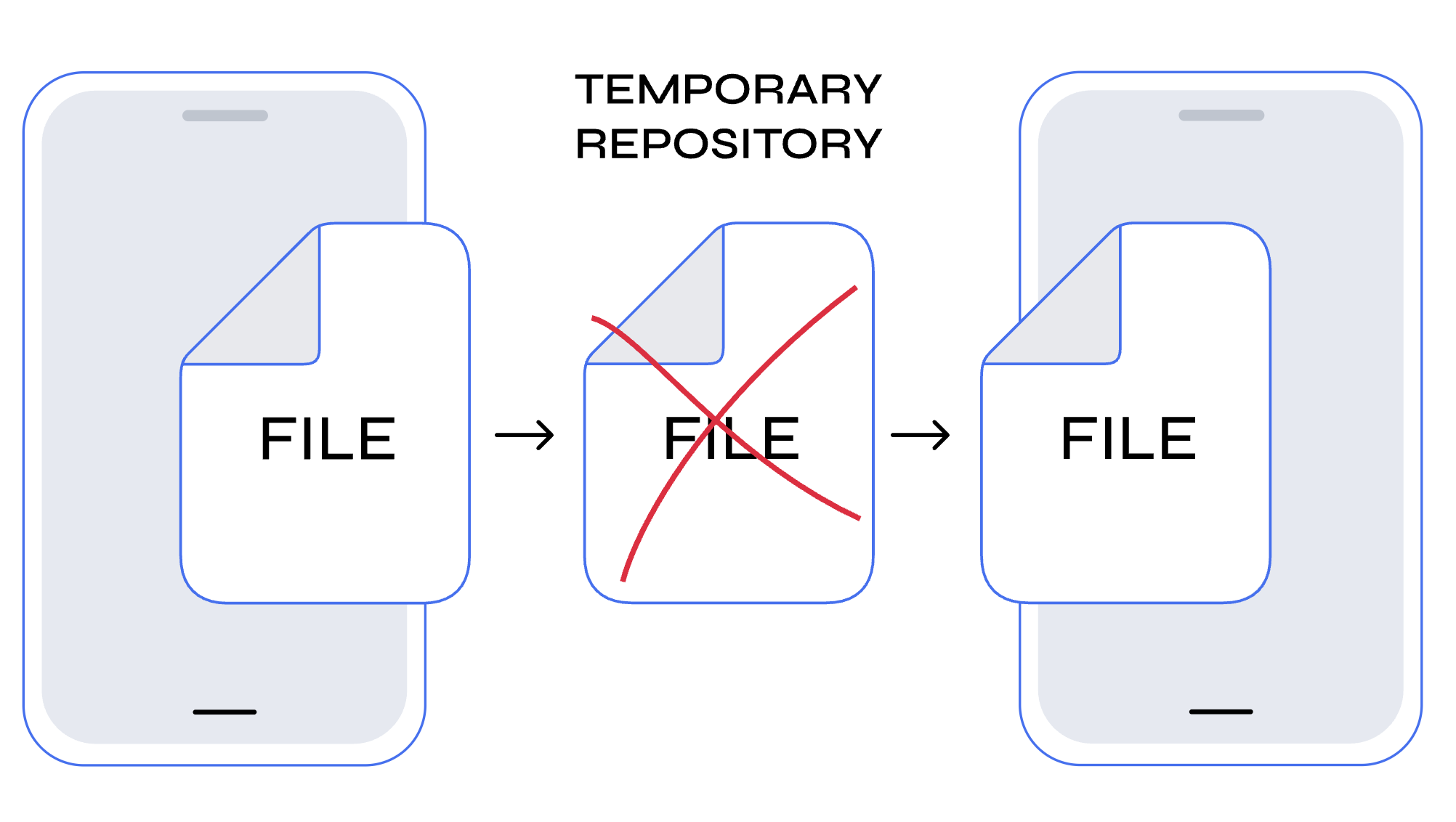 Zangi does not keep permanent server-side copies of the transferred encrypted fragments. During delivery, encrypted file parts pass through a temporary repository. This repository is used only to complete the transfer. It never receives the readable file and never receives the decryption key.
Once the recipient's app downloads the fragments, the temporary repository automatically deletes the delivered fragments. During the transfer, there is nothing readable for Zangi to access. After the transfer, there is nothing stored to access at all. No permanent copy, no readable file, and no decryption key remain on Zangi’s infrastructure.
Every Part of the File Is Protected Separately
Regular services usually encrypt and transfer a file as one complete object. The document, video, archive, or project file remains one large unit throughout the transfer, creating a single concentrated target. Zangi does more than place one layer of encryption around the complete file. Before the file leaves the sender’s device, it is divided into multiple parts, the order of those parts is randomized, and every individual part is protected with End-to-End Encryption.
This adds three separate layers of protection. File division prevents the complete file from moving through the system as one object. Randomization removes the original order of the parts. Separate encryption protects every part individually instead of relying only on one encrypted container.
A single intercepted part does not reveal the full file. Even collecting several parts is not enough. The correct parts must be decrypted, placed in the correct order, and reassembled. That process happens only on the receiver’s device.
Sensitive Processing Stays on User Devices
With a regular centralized service, the provider’s servers may process the file, create previews, scan its contents, convert its format, or prepare it for download. Every server-side operation creates another point where the file may be exposed.
Zangi keeps all sensitive file operations on the users’ devices. The sender’s device divides, randomizes, and encrypts the file. The receiver’s device decrypts the parts, restores their correct order, and rebuilds the original file.
Zangi’s servers do not encrypt, decrypt, or reconstruct the file. The complete readable file never exists on Zangi’s infrastructure.
One-Time Secure Transfer Paths
Regular transfer services may use stored file locations, permanent download links, or reusable paths. As long as these paths remain active, they can become another way to reach the stored file.
Zangi uses one-time secure paths. The encrypted parts are uploaded through a one-time path created for the sender. When the receiver downloads them, Zangi creates a new and separate one-time path. The upload path is not reused for the download, and neither path becomes a permanent location for the file.
Reliable Transfers on Weak Connections
Large file transfers often fail when the internet connection changes. Moving from Wi-Fi to mobile data, losing the signal, closing the application, or experiencing a temporary interruption can force a regular download to restart from the beginning. This wastes time, bandwidth, mobile data, and battery power.
Zangi also addresses the problem of interrupted downloads. When a connection drops or changes, the download continues from the point where it stopped instead of starting again from zero. The part that has already been downloaded does not need to be transferred again.
No File Size or Format Restrictions
Many messaging and file-transfer platforms limit file sizes or block certain formats. Users may have to compress files, reduce video quality, split archives, convert documents, or move the transfer to another service.
Zangi does not impose an application-level file-size limit and does not restrict users to a short list of accepted formats. Documents, videos, audio files, archives, presentations, design projects, and other file types can all be sent through the same system.
The actual transfer time still depends on the file size, internet speed, available device storage, and device performance. Zangi simply does not block a file because it is large or uses a specific format. Users select the paperclip icon, choose the file, and send it.
Zangi File Transfer vs. Regular Centralized Transfer
| Feature | Regular transfer | Zangi |
|---|---|---|
| End-to-End Encryption from sender to receiver | ✕ | ✓ |
| Provider never receives the decryption key | ✕ | ✓ |
| No readable file reaches the server | ✕ | ✓ |
| No permanent server-side copy | ✕ | ✓ |
| Temporary data deleted after delivery | ✕ | ✓ |
| File divided before transfer | ✕ | ✓ |
| File parts placed in randomized order | ✕ | ✓ |
| Every file part encrypted separately | ✕ | ✓ |
| Encryption and division happen on the sender’s device | ✕ | ✓ |
| Decryption and reassembly happen on the receiver’s device | ✕ | ✓ |
| Separate one-time upload and download paths | ✕ | ✓ |
| Interrupted downloads can resume | ✕ | ✓ |
| No application-level file-size limit | ✕ | ✓ |
| No file-format restrictions | ✕ | ✓ |
Regular file transfer asks users to trust the provider’s servers with their files. Zangi removes that need through its architecture.
The file is encrypted, divided, randomized, and protected part by part before leaving the sender’s device. Zangi cannot read it during the transfer because it never receives the decryption key or a readable copy.
Once the receiver gets the file, the temporary transfer data is deleted, leaving nothing on Zangi’s infrastructure to access.